



Cette page est également disponible en français
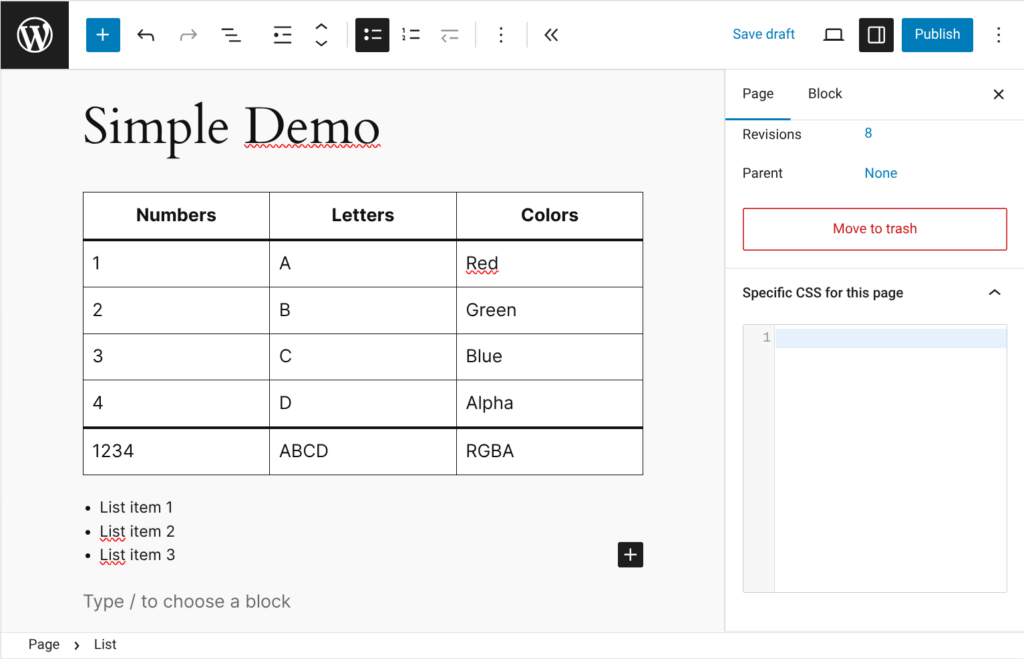
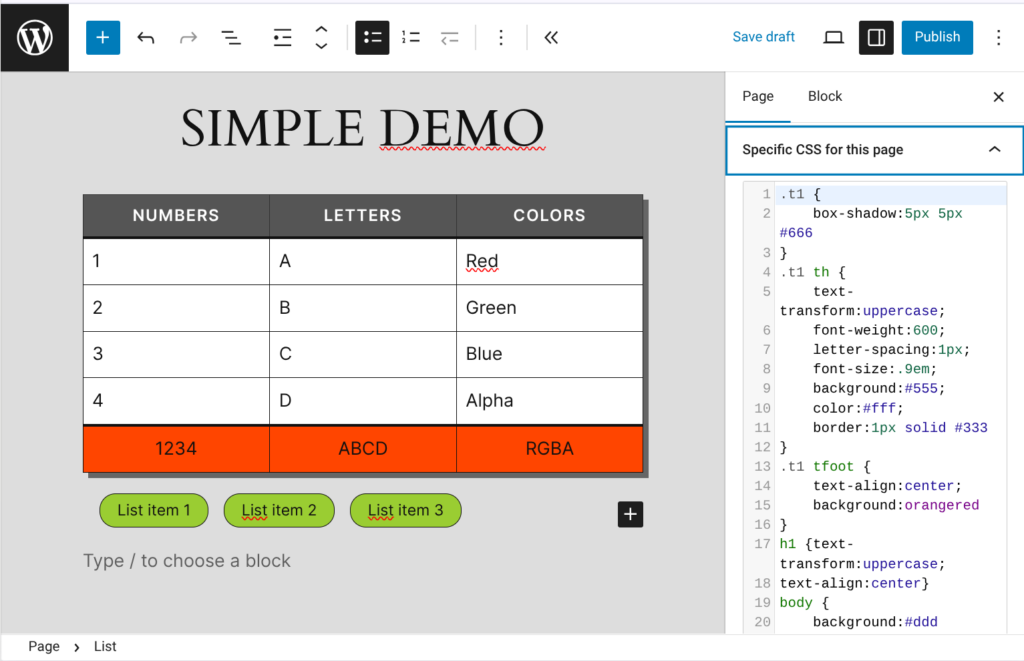
Imaginasite Per Page CSS is a small utility that allows you to add CSS styles to a page, a post or a Woocommerce product. These styles are automatically injected into the <head> tag when the page—or post—is displayed on the frontend. Live preview of changes in the Gutenberg editor makes editing styles easier.
Screenshots & Video Demo
It all starts with a recurring issue…
You may sometimes need to modify one or more websites that you didn’t originally develop. These sites, sometimes a bit outdated, work well but tend to become bloated over time. As changes are requested and new pages are added—including landing pages that can be complex and visually disconnected from the rest of the site—the main stylesheet keeps growing, and the entire site becomes heavier. To avoid this issue, the ideal solution is to add new styles only to the specific page (or post) where they are needed.
Why this plugin is useful:
- To stop feeling guilty when adding 50 lines of CSS to a single page—you know it would otherwise bloat the entire site if added to the main stylesheet. That’s what previous developers often did, and now the
style.cssfile has grown to 2000 lines, half of which are probably no longer used or needed. - To avoid adding a
<style>tag inside an HTML block above your changes or at the top of the page. That’s not where these styles belong. - To edit CSS styles directly within a page or post, while previewing changes live (in Gutenberg).
- To avoid adding an extra menu in the admin interface.
What this plugin should NOT be used for:
- This plugin is not meant to define global site styles. Those should be handled in:
- the
theme.jsonfile - Appearance > Editor > Additional CSS
- the theme customizer menu
- the theme’s
styles.cssfile
- the
- It is also not particularly useful for adding or modifying styles that are already editable via Gutenberg.
In practice, this plugin saves you when Gutenberg doesn’t allow the desired edits, and when the added styles are only meant to apply to the page currently being edited.
Why this plugin instead of another one?
Other plugins allow you to add custom CSS to WordPress pages and posts, some even offering more features. Feel free to test and use them if they better suit your needs. That said, here are the main differences with Imaginasite Per Page CSS:
- Usability: Styles are not edited at the bottom of the page but in the sidebar. You can see the element you’re modifying while editing it, with live preview of changes (in the Gutenberg editor).
- Minimalism: No additional menu is added in the admin interface; no configuration, no ads—just an enhanced editing field powered by CodeMirror in pages, posts, and WooCommerce products.
Why aren’t the added styles applied in the “Archive” view?
Indeed, the styles are only injected into the <head> tag of the specific post or page. If you need styles to apply elsewhere (such as category archives), you should place them in the global stylesheet or in the theme customizer / Additional CSS section.
Is this plugin secure?
Yes. However, you should trust the administrators who have access to it, since the added styles are not centralized and are therefore harder to review—especially if your site contains hundreds of posts.
What happens if I uninstall the plugin?
The CSS rules added via the plugin to the <head> tag of your pages and posts will be removed and, logically, will no longer apply.